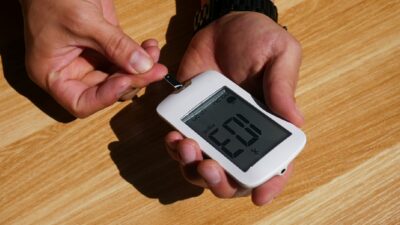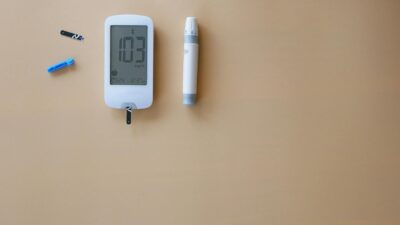
A Dexcom device is a continuous glucose monitoring system that measures glucose in the fluid just under your skin and streams the data to a smartphone app or receiver. The most common Dexcom devices in use today are the prescription G6 and G7 systems for people with diabetes and the over-the-counter Stelo for non-insulin adults. Each model includes three functional pieces: a sensor, a transmitter (built in on G7 and Stelo), and a display.
The Three Parts of a Dexcom Device
Every Dexcom device follows the same basic architecture. The sensor is a small wearable patch with a thin flexible wire that sits in the interstitial fluid below the surface of the skin. The wire is coated with an enzyme that reacts with glucose, creating a tiny electrical signal the device can measure. The transmitter is the electronic component that processes the signal, smooths it mathematically, and sends it to your phone or receiver via Bluetooth.
On the Dexcom G7 and Stelo, the transmitter is built into the sensor, so users replace the whole unit at the end of each wear period. On the G6, the transmitter is a small reusable module that clips into each new sensor and lasts about three months. The display is typically a smartphone app, though G6 offers an optional Dexcom receiver for users who prefer a dedicated device or whose phones are not compatible.
Comparing Current Dexcom Devices
Choosing a Dexcom device depends on your medical situation, insurance coverage, and preferences. The table below summarizes the main options as of the most recent FDA clearances.
| Device | Sensor and transmitter | Wear time | Warm-up | Who it is for |
|---|---|---|---|---|
| Dexcom G7 | Combined, disposable | 10 days + 12-hour grace | 30 minutes | Ages 2+, including pregnancy and insulin users |
| Dexcom G6 | Separate reusable transmitter | 10 days | 2 hours | Ages 2+, including insulin users and pump integration |
| Dexcom Stelo | Combined, disposable | Up to 15 days | 30 minutes | Adults 18+ not using insulin |
Setting Up a Dexcom Device
Setup is similar across models. Start by downloading the Dexcom G7, G6, or Stelo app from your phone’s app store and creating an account. Enter your basic profile information and pair the device by scanning a QR code on the sensor applicator or entering a pairing number. Clean the chosen skin site with soap and water, let it dry completely, and apply the sensor using the disposable applicator. Press firmly until you feel the click that indicates the wire has been inserted.
After insertion, the device needs a warm-up period before readings appear: 30 minutes for G7 and Stelo, two hours for G6. Users should review the in-app tutorial, which covers alerts, trend arrow interpretation, and how to calibrate if your device supports it. G7 does not require fingerstick calibration, which is one of its main upgrades over earlier models.
Using the Data Day to Day
A Dexcom device is most useful when you look at patterns rather than individual numbers. The app shows a trend line, a trend arrow, and optional alerts for highs and lows. Many users enter meals, exercise, and medication events to see how their glucose responds. Clarity, the Dexcom reporting software, produces standard summaries such as time in range, glucose management indicator, and average glucose, which you can share with your clinician.
If you are exploring CGM to better understand prediabetes, our prediabetes overview provides a starting point for risk factors and next steps. For long-term monitoring, our A1C levels guide shows how CGM data complements the three-month A1C test, and our diet and nutrition hub helps translate glucose patterns into meal choices.
Troubleshooting Common Issues
Adhesion problems are common, especially during humid weather or heavy exercise. Dexcom sells overpatches, and third-party options are widely available. Keep the skin clean and oil-free at insertion, and avoid applying heavy lotion near the sensor. Compression lows occur when you sleep on the sensor; they usually resolve when you roll off and should not be treated as true hypoglycemia.
Occasional early sensor failures do happen. Dexcom replaces defective sensors when you call technical support with the serial number from the packaging. Save those packaging labels until you are comfortable the sensor is working. Readings that consistently disagree with a properly performed fingerstick may indicate a damaged sensor or a clinically meaningful change — talk to your clinician.
When a Clinician Should Be Involved
People with type 1 diabetes, insulin-using type 2 diabetes, and pregnant women with diabetes should use a prescription Dexcom device with clinician oversight. Alerts, insulin dosing decisions, and pump integration all benefit from a structured care plan. People using Stelo should still review their data with a clinician, particularly if they see repeated highs, unusual lows, or a rising trend over weeks or months. Our treatment hub explains how CGM fits into a broader care picture.
Regulatory and Safety Notes
The FDA has cleared Dexcom G7 as an integrated continuous glucose monitor, a category that allows the device to communicate with approved insulin pumps and smart pens. The clearance documentation, available through the FDA G7 510(k) summary, outlines accuracy, indications, and labeling. Major safety considerations include correct placement, allergies to adhesive, and avoiding MRI exposure with the sensor in place; the user guide provides the official requirements.
The Bottom Line
A Dexcom device is a three-part CGM system — sensor, transmitter, and display — built around a tiny under-the-skin wire that measures glucose in interstitial fluid. G7 is the current prescription flagship with combined sensor and transmitter, G6 remains a reliable option with a reusable transmitter, and Stelo offers over-the-counter access for non-insulin adults. With proper setup, placement, and attention to trend arrows, Dexcom devices give users a high-accuracy window into their glucose patterns that complements traditional lab testing.
Medical disclaimer: This article is for educational purposes only and is not a substitute for advice from a qualified healthcare professional. Discuss device choice and interpretation with your own clinician.