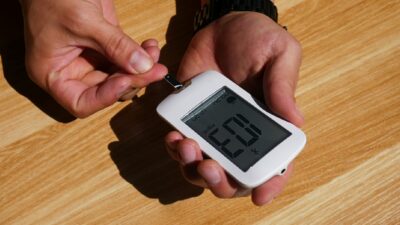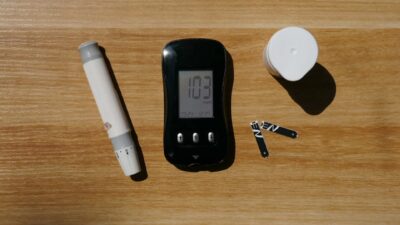
A legitimate CGM watch is not a sensor in itself. It is a smartwatch, typically an Apple Watch or a Wear OS model, that displays glucose readings from a real continuous glucose monitor like Dexcom G7, Stelo, or Freestyle Libre. The FDA has warned that no smartwatch or smart ring on the market can accurately measure blood glucose without a sensor inserted under the skin, so any product advertising needle-free or non-invasive glucose tracking should be treated as unvalidated.
FDA February 2024 Warning on Glucose Smartwatches
On February 21, 2024, the FDA issued a consumer safety communication titled “Do Not Use Smartwatches or Smart Rings to Measure Blood Glucose Levels.” The alert is unusually blunt. It states that the agency has not authorized, cleared, or approved any smartwatch or smart ring intended to measure or estimate blood glucose values on its own. These devices often appear on social media, marketplace storefronts, and direct-to-consumer ads with claims of using infrared light, radio waves, or sweat analysis to measure glucose without a fingerstick. None of these technologies has cleared FDA validation.
The harm is not theoretical. An inaccurate reading from a gimmick watch could lead someone to inject insulin they do not need, skip a dose they do need, or eat sugar in response to a false low. For an insulin user, a misread can cause severe hypoglycemia or dangerously high blood sugar.
What a Legitimate CGM Watch Setup Looks Like
The term “CGM watch” in current, reputable usage refers to a two-part system:
- A real CGM sensor worn on the body. This is the device actually doing the measuring. Options include Dexcom G7, Dexcom Stelo (over the counter), Freestyle Libre 3 Plus, and Libre Rio (over the counter).
- A smartwatch paired via Bluetooth to display the sensor’s readings. The watch is a screen, not a sensor.
| Sensor | Apple Watch Display | Wear OS Display | Direct Watch Connection |
|---|---|---|---|
| Dexcom G7 | Yes (native app) | Yes (native app) | Yes (direct to Apple Watch) |
| Dexcom Stelo | Phone required currently | Phone required currently | No |
| Freestyle Libre 3 Plus | Yes, via LibreLink | Limited | Via iPhone relay |
| Freestyle Libre Rio | Via Rio app | Limited | Via phone relay |
How to Set Up a Dexcom G7 + Apple Watch (Legitimate Path)
- Apply a Dexcom G7 sensor per the package instructions and wait the 30 minute warm-up.
- Install the Dexcom G7 app on iPhone and pair the sensor using the serial number or scan.
- Install the Dexcom G7 app on your Apple Watch from the Watch App Store.
- In iPhone Watch app settings, ensure Dexcom G7 is allowed to run.
- Open the Dexcom G7 app on the watch. Direct-to-watch Bluetooth pairing prompts will appear.
- Choose a watch face complication to show the live glucose number and trend arrow.
Once paired, your Apple Watch can display real-time glucose every 5 minutes even when your iPhone is out of range, which is especially useful during workouts, commutes, and sleep.
How to Set Up Freestyle Libre with a Watch
LibreLink shares data with Apple Watch through the iPhone app. Install the LibreLink app on iPhone, pair your Libre 3 Plus or Rio sensor, then add LibreLink complications to your watch face via the Watch app. Glucose updates travel sensor → phone → watch. This relay path means the iPhone needs to stay within Bluetooth range, unlike Dexcom G7’s direct-to-watch link.
Red Flags on Fake Glucose Watches
Watch out for any product advertising:
- “Non-invasive blood glucose monitoring” or “needle-free glucose”
- Measurement via infrared, laser, radar, or sweat without a CGM sensor
- Claims of clinical-grade accuracy without FDA 510(k) clearance numbers
- Sub-$200 price tags for standalone glucose tracking on Amazon, TikTok Shop, or Facebook ads
- Brand names that mimic Apple, Samsung, or Fitbit with small spelling changes
According to the American Diabetes Association, glucose management decisions should rely only on devices cleared by the FDA for that specific use.
Why No Smartwatch Measures Glucose Yet
Researchers have chased non-invasive glucose sensing for decades. Skin-level optical and radiofrequency techniques struggle with the variable effects of skin pigmentation, hydration, temperature, pressure, and motion. Glucose signals in sweat and interstitial fluid are real but hard to isolate reliably. Until a device demonstrates consistent accuracy to the FDA through clinical trials (like the sensors in Dexcom G7 and Libre), the watch-alone concept remains an aspiration, not a product.
For Prediabetes, a Real CGM Plus a Watch Can Still Help
If you have prediabetes and want to understand your food responses, pairing a real OTC CGM (Stelo or Rio) with your existing smartwatch is a safe, effective setup. The sensor gives you 15 days of continuous data; the watch gives you a glance at your current trend. For context on how this pairs with lifestyle change, see our Prediabetes 101 hub and Diet and Nutrition hub. If you are evaluating options more broadly, our Treatment hub covers CGMs alongside medications.
The Bottom Line
A CGM watch is legitimate only when it means a smartwatch acting as a display for a real CGM sensor under your skin. Any watch marketed as a standalone glucose monitor without a sensor is, per the FDA, unvalidated and potentially dangerous. Buy a cleared CGM, pair it to your Apple Watch or Wear OS device, and ignore the needle-free glucose ads flooding social media.
This article is for informational purposes only and is not a substitute for professional medical advice. Consult your healthcare provider before using any glucose monitoring device to guide medical decisions.