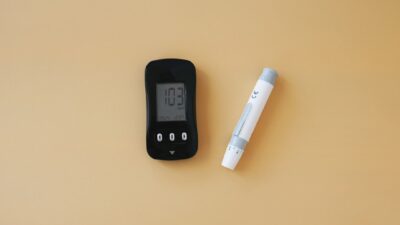
A digital blood sugar monitor is any electronic device that measures glucose and displays the result on a screen. The category includes handheld fingerstick meters like the Contour Next One and OneTouch Verio Reflect, plus continuous glucose monitors like Dexcom G7 and FreeStyle Libre 3. All produce digital numbers you can log, share, and act on.
Two Kinds of Digital Blood Sugar Monitor
| Type | Sample | Frequency | Display |
|---|---|---|---|
| Fingerstick meter (blood glucose monitor, BGM) | Drop of capillary blood | On demand | Handheld screen |
| Continuous glucose monitor (CGM) | Interstitial fluid under the skin | Every 1-5 minutes | Smartphone or receiver |
Both categories qualify as digital because they produce numerical readings, store data, and usually sync with apps or cloud platforms.
How a Fingerstick Digital Monitor Works
A test strip contains an enzyme called glucose oxidase or glucose dehydrogenase that reacts with glucose in your blood sample. The reaction generates a small electrical current. The meter measures this current and converts it into a glucose concentration displayed in mg/dL (or mmol/L outside the US). The whole process takes about 5 seconds.
Modern meters also include:
- Bluetooth sync to a smartphone app.
- Meal markers (before meal, after meal, fasting).
- Trend analysis over 7, 14, or 30 days.
- Color-coded “range indicators” that flag high and low readings.
Top Fingerstick Digital Blood Sugar Monitors
| Meter | Key Feature | Blood Sample | Approx. Cost |
|---|---|---|---|
| Contour Next One | Highly accurate; second-chance sampling if first drop is too small | 0.6 microliter | $20-30 meter; $0.30-1 per strip |
| OneTouch Verio Reflect | Blood sugar mentor messages and pattern detection | 0.4 microliter | $30-40 meter; $0.50-1.20 per strip |
| Accu-Chek Guide Me | Strip container spill-proof design; Bluetooth app | 0.6 microliter | $20-30 meter; $0.40-1 per strip |
| FreeStyle Lite | No coding required; small sample size | 0.3 microliter | $20-30 meter; $0.50-1.20 per strip |
How a CGM Provides a Digital Readout
A CGM sensor wire sits a few millimeters under the skin. It is coated with glucose oxidase, just like a test strip. When glucose in your interstitial fluid reaches the enzyme, the reaction creates a current that the transmitter sends by Bluetooth to your phone or receiver. Readings refresh every minute.
The app then calculates additional metrics a fingerstick cannot provide:
- Time in range (% of time between 70 and 180 mg/dL).
- Estimated A1C based on 14-day average.
- Overnight patterns, including undetected lows.
- Rate of change arrows after meals and exercise.
Accuracy Standards
Digital blood sugar monitors sold in the United States must meet FDA clearance requirements, typically grounded in the ISO 15197:2013 standard. That standard requires at least 95 percent of readings to fall within +/- 15 percent of a reference lab value across the physiologic glucose range. Most consumer-grade meters meet or exceed this; a handful of low-cost imports fall short.
According to the FDA, accuracy of home glucose meters has improved substantially over the past decade. For context on how digital readings fit into longer-term glucose control, see the A1C levels hub.
Fingerstick vs CGM: Which Digital Monitor Should You Choose?
- Stick with a fingerstick meter if: you test occasionally, you are cost-sensitive, or you prefer the simplicity of a handheld device.
- Consider a CGM if: you use insulin, have frequent lows, want to see overnight patterns, or are trying to understand which foods spike your glucose.
- Use both: many people wear a CGM daily and keep a backup fingerstick meter for confirmation when a reading seems off.
For lifestyle strategies that complement monitoring, explore the diet and nutrition hub.
How to Use a Fingerstick Meter Correctly
- Wash your hands with warm water and soap; dry thoroughly. Residue from fruit or lotion can skew readings.
- Load a fresh test strip into the meter. Check the expiration date on the vial.
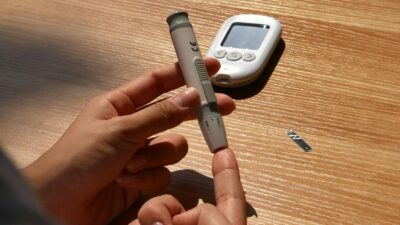
- Prick the side of your fingertip with a lancet (less painful than the pad).
- Gently squeeze to form a drop of blood; touch the strip’s edge to the drop.
- Wait 5 seconds for the reading. Log it in the app or paper log.
Common Errors That Cause Bad Readings
- Not washing hands (residual sugar on skin causes false highs).
- Milking the finger so hard that interstitial fluid dilutes the drop.
- Using expired or improperly stored strips.
- Cold fingers with reduced perfusion.
- Test strips exposed to humidity.
Data Sharing with Your Clinician
Most modern digital blood sugar monitors sync with a secure cloud platform. Your clinician can pull reports showing weekly averages, post-meal spikes, and time in range. This is far more useful than reading paper logs during a 15-minute office visit. Popular data platforms include LibreView, Dexcom Clarity, Contour Diabetes, and OneTouch Reveal.
Cost and Insurance Coverage
Fingerstick meters are inexpensive upfront. The long-term cost comes from test strips. A person testing four times a day at $0.80 per strip spends about $100 per month out of pocket. Most insurance plans cover strips, but coverage often requires a preferred brand. CGMs cost more per month but are covered by Medicare and most commercial plans when medically indicated.
The Bottom Line
A digital blood sugar monitor is your window into how your body handles glucose. Fingerstick meters are reliable, inexpensive, and accurate enough for daily decisions, while CGMs add continuous patterns and overnight data. Choose the tool that fits how often you will actually use it, and talk with your clinician about whether a fingerstick, a CGM, or both is right for you.
Medical disclaimer: This article is for educational purposes only and is not a substitute for professional medical advice, diagnosis, or treatment. Always consult your physician or qualified healthcare provider with any questions about a medical condition or medication.