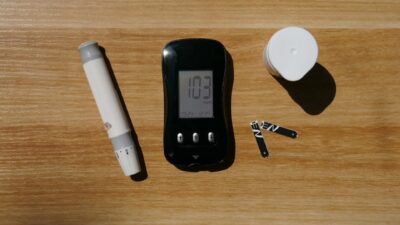
An iPhone cannot directly measure blood sugar — no app, camera trick, or finger touch can read glucose. iPhones display blood sugar by pairing via Bluetooth to a continuous glucose monitor (CGM) worn on the body. Compatible CGMs include Dexcom G7, FreeStyle Libre 3, Abbott Lingo, Dexcom Stelo, Eversense, and Medtronic Simplera. Each has its own iPhone app; many also send data to Apple Health.
What an iPhone Can and Cannot Do
| Capability | Reality |
|---|---|
| Read glucose with iPhone alone | Not possible — no glucose sensor in iPhone |
| Read glucose with Apple Watch alone | Not possible — no glucose sensor in Apple Watch |
| Display glucose from a paired CGM | Yes, via brand-specific app |
| Show glucose trends and alerts | Yes, in the CGM app and on Apple Watch complications |
| Log fingerstick readings manually | Yes, via Apple Health and various third-party apps |
| Camera-based glucose measurement | Scam — flagged by the FDA |
CGMs That Pair with iPhone
| CGM | Prescription Required | Wear Time | iPhone App |
|---|---|---|---|
| Dexcom G7 | Yes | 10 days | Dexcom G7 |
| Dexcom Stelo | No (OTC) | 15 days | Stelo by Dexcom |
| FreeStyle Libre 3 | Yes | 14 days | FreeStyle LibreLink |
| Abbott Lingo | No (OTC) | 14 days | Lingo |
| Eversense E3 | Yes (implanted) | 180 days | Eversense |
| Medtronic Simplera | Yes | 7 days | Simplera |
Apps That Display CGM Data on iPhone
- Dexcom G7 / Stelo: trend graph, customizable alerts, statistics, share with caregivers
- FreeStyle LibreLink: reading on demand or continuous, time-in-range, glucose patterns
- Lingo: glucose tracking with metabolic-coaching framing for non-diabetic users
- Apple Health: imports glucose data from many CGMs; central hub for fitness and food logs
- Sugarmate: third-party Dexcom-compatible app with notifications and Apple Watch features
- Spike: open-source third-party app for Dexcom and Libre power users
- xDrip4iOS: open-source viewer for select sensors
- Glooko: aggregates CGM, meter, and pump data for clinicians and users
- Tidepool: connects multiple CGMs and pumps for unified review
- One Drop: meter-based logging with iPhone integration
OTC CGMs: Who They Are For
Two CGMs launched in the United States as over-the-counter products in 2024 to 2025: Dexcom Stelo and Abbott Lingo. They are designed for non-diabetic users curious about glucose responses to food, exercise, sleep, and stress. Key differences from prescription CGMs:
- No urgent low-glucose alerts — designed for awareness, not safety
- Slightly less accurate at extreme highs and lows than diabetes-grade CGMs
- Self-paid (about $89 every 14 to 15 days for Stelo, similar for Lingo)
- Limited share-with-care-team features
- Not appropriate for type 1 diabetes or insulin-dependent type 2
Apple Watch and Glucose
The Apple Watch does not measure glucose directly. It can:
- Display glucose readings from a paired CGM as a complication
- Show trend arrows and alerts on the wrist
- Log activity and exercise data that informs glucose interpretation
- Use Siri to read glucose on demand
Reports of an in-development Apple non-invasive glucose sensor have circulated for years but no such feature has shipped in any model. Apple has invested in this research; commercial launch dates remain speculative.
Avoid: Camera and Touch-Based “Glucose Apps”
The FDA issued a safety communication in 2024 explicitly warning against any smartwatch, smart ring, app, or device claiming to measure blood glucose without a skin-piercing sensor. Common scam patterns:
- Apps that claim to read glucose by holding a finger over the camera
- Bands or rings that claim non-invasive optical glucose monitoring
- Watches advertised as having “diabetes mode” or “glucose detection”
- Photo-based glucose checks via Bluetooth-paired wearables
None of these have FDA clearance or proven accuracy. Many have actually injured users by giving false reassurance during real hypoglycemia episodes.
Setting Up Your iPhone with a Real CGM
- Get the prescription (or buy OTC for Stelo or Lingo)
- Download the brand’s app from the App Store
- Apply the sensor on your upper arm or abdomen following package instructions
- Enable Bluetooth and follow the in-app pairing prompts
- Set glucose targets and alerts
- Optionally add the watch complication for at-a-glance readings
- Connect to Apple Health if you want unified viewing
Using iPhone for Diabetes Self-Management
- Set custom alerts for highs, lows, and rapid changes
- Share readings with family members or your clinician via app share features
- Log meals, insulin, and exercise alongside glucose data
- Review weekly reports of time-in-range and glucose patterns
- Export data for clinic visits
Read more about using glucose data wisely in our guide to detection of prediabetes.
Related Reading
For more on continuous glucose monitoring and CGM options, see our guides on detection and treatment options.
The Bottom Line
iPhone displays blood sugar by pairing to a CGM via Bluetooth — it cannot measure glucose directly. Real options include Dexcom G7 and FreeStyle Libre 3 (prescription) and Stelo and Lingo (OTC). Each brand has an iPhone app, and Apple Health unifies data across many sources. Avoid any product claiming non-invasive glucose measurement through camera, touch, watch, or ring — the FDA has warned that none of these are accurate or safe. To track glucose on iPhone, choose a real CGM, set your alerts, and use the brand’s app as your primary view.