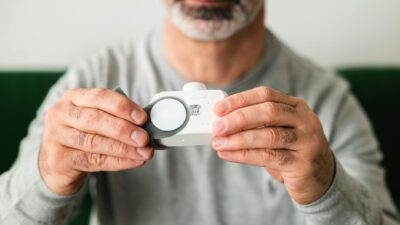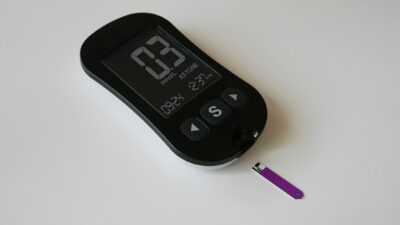
The Dexcom sensor is a continuous glucose monitor (CGM) that uses a thin filament inserted just under the skin to measure glucose in the interstitial fluid every minute. Data streams wirelessly to a smartphone app, smartwatch, or receiver, giving real-time readings, trend arrows, and customizable alerts.
How the Dexcom Sensor Works
The Dexcom sensor measures glucose in interstitial fluid, which is the fluid that surrounds cells in the fat layer under the skin. A small enzyme-coated filament reacts with glucose, producing a tiny electrical signal proportional to glucose concentration. The sensor’s transmitter converts this signal into a glucose reading and sends it to your device.
Interstitial glucose lags blood glucose by a few minutes, so during rapid changes (such as after eating or during exercise), CGM readings may differ slightly from finger-stick meter readings. This lag is a physiological feature of interstitial glucose measurement, not a sensor error.
Dexcom Generations and Wear Time
Dexcom has released several sensor generations over the years. The current flagship is the Dexcom G7, a smaller, all-in-one sensor that includes the transmitter. Wear time and features have improved with each generation:
- Dexcom G6 — 10-day wear, separate transmitter lasting 3 months, factory calibrated.
- Dexcom G7 — 10-day wear plus 12-hour grace period, all-in-one disposable design, faster warm-up.
- Dexcom G7 15-Day — Extended wear up to 15 days, FDA-cleared for adults 18 and older.
The 15-day version reduces the number of sensor changes per year, which may lower costs and improve convenience for many users.
Who Uses the Dexcom Sensor
Dexcom sensors are approved for adults and children ages 2 and older with diabetes. They are used in people with type 1 diabetes, type 2 diabetes on insulin, and increasingly in people with type 2 diabetes not on insulin. According to the American Diabetes Association’s Standards of Care, CGM is recommended for anyone on intensive insulin therapy and can benefit those on less intensive regimens as well.
People exploring prediabetes treatment options are also using CGMs to track glucose patterns, though Dexcom sensors are not FDA-approved for prediabetes. Understanding your A1C levels alongside CGM data gives a fuller picture of glucose control.
Accuracy and Performance
Accuracy of a CGM is commonly expressed as mean absolute relative difference (MARD), which is the average percentage difference between CGM readings and a reference lab glucose test. The Dexcom G7 has a MARD of about 8.2 percent across all glucose ranges, including low and high readings.
This level of accuracy allows non-adjunctive use, meaning you can make diabetes treatment decisions (such as insulin dosing) based on CGM readings alone without routine finger-stick confirmation. The FDA calls this “integrated CGM” status.
| Sensor Model | Wear Time | Warm-Up | MARD | Calibrations |
|---|---|---|---|---|
| Dexcom G6 | 10 days | 2 hours | 9.0% | None required |
| Dexcom G7 | 10 days + 12h grace | 30 minutes | 8.2% | None required |
| Dexcom G7 15-Day | 15 days | 30 minutes | 8.0% | None required |
Applying a Dexcom Sensor
Applying a Dexcom G7 sensor takes about a minute. The sensor comes in a compact single-use applicator. You select a clean, dry site on the back of the upper arm, press the applicator against your skin, and push the button to insert the filament. The sensor adheres to your skin with medical adhesive.
Most people feel little or no pain during insertion. After placement, the sensor begins a 30-minute warm-up before delivering readings. You pair the sensor with your smartphone app or Dexcom receiver using a code printed on the applicator.
Trend Arrows and Alerts
One of the most useful features of the Dexcom sensor is its trend arrows, which show the direction and rate of glucose change. Arrows can point up, down, or sideways at various angles, indicating whether glucose is rising, falling, or steady, and how quickly.
Customizable alerts warn you when glucose is rising too quickly, falling too quickly, or crossing preset high or low thresholds. The Urgent Low Soon alert, unique to Dexcom, predicts a low glucose within 20 minutes, giving you time to act.
Common Issues and Side Effects
The most common issues with Dexcom sensors include:
- Skin irritation — Redness, itching, or rash at the insertion site, often from adhesive.
- Early sensor failure — Occasional sensor shutdowns before the end of wear time; Dexcom provides free replacements.
- Adhesion problems — Sensors falling off prematurely, especially with sweating, swimming, or friction.
- Inaccurate readings — Particularly during the first 24 hours or if the sensor is compressed.
Barrier films, medical-grade tape, and overpatches can help with adhesion and skin reactions. Rotating sensor sites also reduces skin problems.
Insurance Coverage and Cost
Dexcom sensors are covered by most commercial insurance plans, Medicare, and Medicaid for people with diabetes who meet coverage criteria. Medicare requires documentation of insulin use or a history of problematic hypoglycemia. Cash prices for sensors run about 75 to 100 dollars each, though insurance and pharmacy options often reduce this significantly.
Dexcom offers savings programs and a patient assistance program for eligible uninsured or underinsured patients. Talk to your healthcare provider or a Dexcom representative to explore coverage options.
Data Sharing and Integration
Dexcom data can be shared with up to 10 followers through the Dexcom Follow app, allowing family members or caregivers to monitor glucose remotely. Data also integrates with several insulin pumps, including Tandem t:slim X2 and Omnipod 5, enabling automated insulin delivery systems that adjust basal rates based on CGM readings.
Clarity, Dexcom’s reporting platform, generates summary reports of time in range, average glucose, and glucose variability for use in appointments with your diabetes care team.
The Bottom Line
The Dexcom sensor may help people with diabetes make more informed treatment decisions by providing real-time glucose readings, trend arrows, and customizable alerts. With high accuracy, no routine finger-stick calibrations, and integration with insulin pumps, it has become a core tool in modern diabetes care. If you are considering a Dexcom sensor, talk with your healthcare provider about insurance coverage, sensor placement, and how to interpret the data to improve your glucose management.