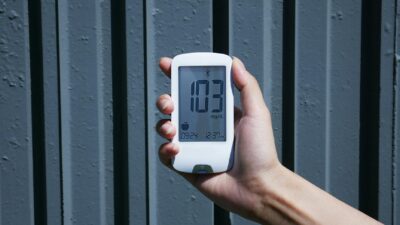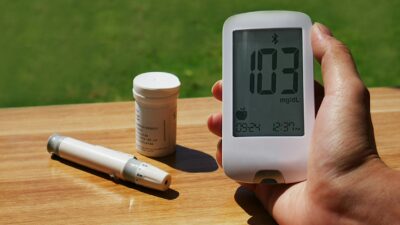
A Dexcom meter, in the sense most shoppers mean, is not a traditional fingerstick blood glucose meter. Dexcom makes continuous glucose monitor (CGM) systems — the current flagship is Dexcom G7 — that pair a wearable sensor with a phone app or handheld receiver to display glucose readings every 5 minutes.
What “Dexcom Meter” Actually Refers To
Dexcom is a San Diego-based medical device company that pioneered consumer CGM technology. The company has never produced a traditional fingerstick glucose meter. When people type “Dexcom meter” into a search bar, they are usually asking about one of three things:
- The Dexcom G7 continuous glucose monitoring system — the prescription device for people with diabetes.
- The Dexcom Stelo — the over-the-counter CGM launched in 2024 for adults not using insulin.
- The optional Dexcom Receiver, a handheld device that displays G7 readings for users who prefer not to rely on a phone.
How the Dexcom G7 System Works
Dexcom G7 has two physical components: a disposable sensor-transmitter combo (worn on the skin) and a display device. The sensor contains a flexible 5 mm filament coated with glucose oxidase. When inserted just under the skin, the filament reacts with glucose in interstitial fluid to generate a tiny electrical current. The built-in transmitter converts this signal to a glucose value and sends it over Bluetooth every 5 minutes to the paired Dexcom G7 smartphone app or a compatible receiver.
Each sensor is worn for 10 days, with a 12-hour grace period for seamless transition to a new sensor. Factory calibration means no fingerstick calibrations are needed during normal wear.
Accuracy and Performance
Dexcom G7 reported a mean absolute relative difference (MARD) of 8.2% across its pivotal trials in adults and adolescents, and 8.1% in children age 7-17. In practical terms, if the lab value is 150 mg/dL, the sensor typically reads between 138 and 162 mg/dL. Accuracy is highest in the 70-180 mg/dL range and after the initial 12 hours of wear.
| Metric | Dexcom G7 Performance |
|---|---|
| Wear time | 10 days + 12-hour grace |
| Warm-up time | 30 minutes |
| Reading interval | Every 5 minutes |
| MARD (overall adult) | 8.2% |
| MARD (pediatric) | 8.1% |
| Calibration | Factory-calibrated (optional user calibration available) |
| Water resistance | Submersion up to 8 feet for 24 hours |
Setting Up Dexcom G7
Getting started is designed to be self-service. First, download the Dexcom G7 app from the Apple App Store or Google Play. Create or log in to your Dexcom account. When prompted, enter the sensor code printed on your applicator (this replaces traditional calibration). Choose an application site — the back of the upper arm for adults and older kids, the upper buttock for younger children. Clean with alcohol and let it dry.
Press the applicator firmly against the skin and push the button. The sensor deploys in under a second. A 30-minute warm-up period follows, during which the app shows a countdown. After warm-up, glucose readings and trend arrows appear.
Understanding Dexcom Readings and Trend Arrows
Each reading comes with a directional arrow that indicates how fast glucose is changing:
- Steady — less than 1 mg/dL/min change.
- Slow rise or fall — 1-2 mg/dL/min.
- Moderate rise or fall — 2-3 mg/dL/min.
- Rapid rise or fall — more than 3 mg/dL/min.
Trend arrows are as important as the number itself for making real-time decisions, especially around meals, exercise, and medication timing.
Who Dexcom G7 Is For
Dexcom G7 is FDA cleared for people age 2 years and older with diabetes. It is indicated for both type 1 and type 2 diabetes, and is now commonly prescribed for insulin-using adults with gestational diabetes. Many prediabetes treatment plans involve CGM use under clinician direction. Dexcom G7 also integrates with Tandem and Insulet insulin pumps for automated insulin delivery systems.
Dexcom Stelo for Non-Insulin Users
Dexcom Stelo is the over-the-counter version, launched in 2024. It is cleared for adults 18 and older who do not take insulin — typically people with type 2 diabetes on oral medications, those with prediabetes, or health-conscious adults tracking metabolic patterns. Stelo uses a similar sensor technology with a 15-day wear time and 15-minute reading intervals. No prescription is required, though insurance coverage is limited for OTC devices.
Day-to-Day Use Tips
A few practical habits make Dexcom more useful day to day. Rotate application sites between sensors to give each spot time to recover. Avoid sleeping directly on the sensor, which can cause false low readings from pressure. If a reading does not match how you feel — especially during suspected hypoglycemia — confirm with a fingerstick before acting. Review the overnight graph each morning; dawn-phenomenon rises are a common finding and can guide bedtime eating decisions.
Sharing Data and Clinician Access
The Dexcom app includes a sharing feature (Dexcom Follow) that lets up to 10 family members or caregivers view readings in real time on their own phones. A parallel service, Dexcom Clarity, generates reports for your clinician showing time in range, average glucose, and glucose variability. Many endocrinologists request Clarity reports before visits. Sharing is optional and can be turned off at any time.
Cost and Insurance
Dexcom G7 is typically covered under durable medical equipment (DME) benefits for people with diabetes. Copays vary widely; some insurance plans cover the full cost while others require 20% coinsurance. Medicare covers Dexcom G7 for people with diabetes using insulin. Cash prices are roughly $400 per month for a 30-day supply of sensors. Dexcom Stelo retails at about $50-$100 for a 15-day sensor without a prescription.
The Bottom Line
There is no Dexcom fingerstick meter — the “Dexcom meter” is the Dexcom CGM system, now in its G7 generation for prescription users and Stelo form for over-the-counter buyers. With factory calibration, a 10-day sensor, and MARD of about 8.2%, it is a current leader in consumer glucose monitoring. Talk with your clinician about whether Dexcom fits your treatment plan and insurance coverage.
Medical disclaimer: This article is for educational purposes only and is not a substitute for professional medical advice, diagnosis, or treatment. Always consult your physician for guidance on glucose monitoring and diabetes management.