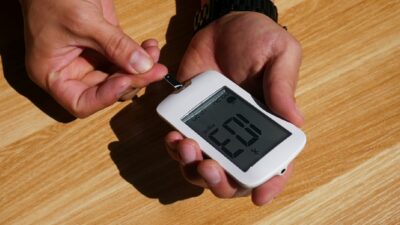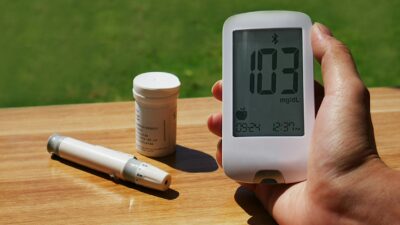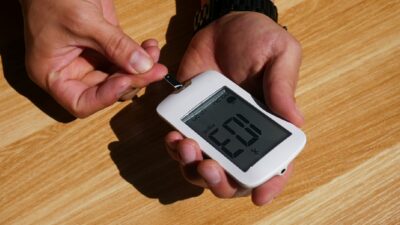
A Dexcom reader, officially called the Dexcom G7 Receiver, is a small handheld device that displays real-time glucose readings from a Dexcom G7 sensor without requiring a smartphone. It is an optional accessory; most Dexcom users rely on the free Dexcom G7 app, but the receiver fills an important niche for users who cannot or choose not to use a phone.
What the Dexcom Reader Does
The Dexcom G7 Receiver has a small color touchscreen, a rechargeable battery, and Bluetooth connectivity. Once paired with a Dexcom G7 sensor, it receives glucose values every 5 minutes and displays them alongside a trend arrow and a 6-24 hour graph. The device has customizable high and low alerts, urgent-low alerts, a rate-of-change alert, and an optional signal-loss alert.
Unlike the older Dexcom G6 Receiver, which required periodic fingerstick calibrations, the G7 Receiver is factory-calibrated and does not require user calibration. It charges via USB-C and typically lasts several days on a full charge.
Reader vs. Smartphone App
The Dexcom G7 system is built around the smartphone app by default. The app is free, supports iOS and Android, streams readings every 5 minutes, and integrates with Dexcom Share (for caregivers), Dexcom Clarity (for clinicians), Apple Health, and Fitbit. The receiver is a standalone alternative that does not require a phone.
| Feature | Dexcom G7 App | Dexcom G7 Receiver |
|---|---|---|
| Reading interval | Every 5 minutes | Every 5 minutes |
| Accuracy (MARD) | 8.2% | 8.2% (same sensor) |
| Real-time sharing | Yes (Dexcom Share) | No |
| Clarity reports | Automatic cloud upload | Manual upload via USB |
| Cost | Free download | Prescription; DME billing |
| Best for | Most adults | No-phone users, kids at school, backup |
Who Benefits From a Dexcom Reader
Several common situations make a dedicated receiver worthwhile:
- Users without a compatible smartphone. Older phones or feature phones that do not support the Dexcom G7 app.
- Children in school. Some districts restrict student phone use; a reader is considered medical equipment and is usually allowed.
- People who prefer digital minimalism. A dedicated device keeps glucose data off a personal phone.
- Backup display. Pairing the receiver alongside a phone provides redundancy in case the phone battery dies, is lost, or fails.
- Occupational needs. Some workplaces (healthcare, manufacturing, aviation) restrict phone use; a medical receiver may be permitted.
Setting Up the Receiver
Setup mirrors the Dexcom G7 app flow. Power on the receiver and complete onboarding — language, time zone, glucose target range, and alert preferences. When you apply a new sensor, scan the sensor code with the receiver’s camera (or enter it manually) and press “Start Sensor.” After the 30-minute warm-up, readings appear on the display.
If you want to use both the app and the receiver simultaneously, pair both devices during sensor start. The system supports up to three display devices per sensor. This is common for users who want the richness of the app plus the reliability of a dedicated device.
Accuracy and Data Reliability
Because the Dexcom G7 Receiver and the app read data from the same underlying sensor, accuracy is identical — a MARD of about 8.2%. Neither device modifies or re-interprets the glucose signal. The main differences come down to connectivity and feature set: the app uploads to the cloud automatically, while the receiver stores data internally and uploads to Dexcom Clarity when connected via USB to a computer.
Using the Receiver Day to Day
The receiver is compact enough to clip to a belt, carry in a pocket, or keep at a bedside table. The touchscreen displays current glucose, trend arrow, recent graph, and alert status. Menus allow you to log events like meals, insulin doses, and exercise, which later appear in Clarity reports. Battery life depends on screen use; most users recharge every 3-5 days.
For nighttime safety, the receiver’s alert sounds can be louder and more reliable than phone notifications, which may be muted or silenced. Many parents of children with type 1 diabetes appreciate this consistency.
Comparison With Other CGM Display Options
Dexcom is not the only CGM platform that offers a dedicated reader. Abbott’s original FreeStyle Libre 14-day and Libre 2 systems also ship with a handheld reader, though the newer Libre 3 is app-only. Medtronic’s Guardian Connect and Simplera systems also rely primarily on smartphone apps with optional dedicated devices. The trend across all manufacturers is toward app-first experiences with a receiver available for specific needs.
Integration With Insulin Pumps
Dexcom G7 integrates with several insulin pumps for automated insulin delivery (AID) systems, including Tandem t:slim X2 with Control-IQ and Omnipod 5. In these configurations, the pump itself acts as a display device, and the receiver or phone becomes optional. If you use an AID system, talk with your diabetes care team about whether you still need a dedicated reader or whether the pump plus phone app covers your needs.
Cost and Coverage
The Dexcom G7 Receiver is prescribed and typically billed as durable medical equipment (DME). Insurance coverage depends on medical necessity documentation. For pediatric users, school-attendance needs, or adults without a compatible phone, most plans approve the receiver without issue. Cash prices are approximately $300-$400 for the device itself. The ongoing consumable cost remains the sensors, not the receiver.
When to Consider Adding a Reader
If you are using Dexcom G7 successfully with just the app, a receiver is not necessary. Add one if your phone is unreliable, your child needs a school-friendly device, or you want dedicated nighttime alarms. Speak with your prescriber, who can document the indication and submit for insurance coverage. Many people who manage prediabetes with intermittent CGM use find the phone app fully sufficient.
The Bottom Line
A Dexcom reader is the optional handheld companion to the Dexcom G7 CGM system. It displays the same accurate data as the smartphone app but does not require a phone, making it valuable for specific users and situations. Most adults using Dexcom G7 do not need one, but it is a useful tool when phone use is restricted or unreliable. Discuss with your clinician whether adding a receiver fits your circumstances.
Medical disclaimer: This article is for educational purposes only and is not a substitute for professional medical advice, diagnosis, or treatment. Always consult your physician for guidance on glucose monitoring and diabetes management.