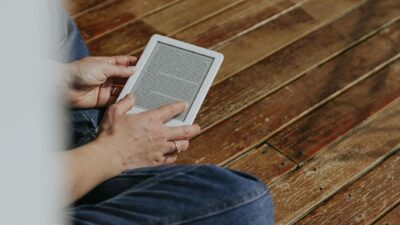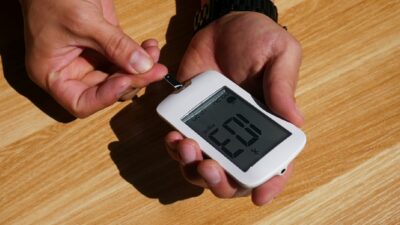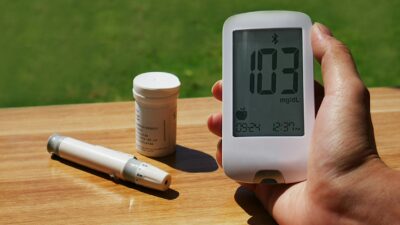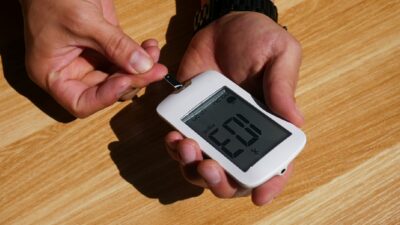
The FreeStyle Libre reader is a handheld touch-screen device that displays glucose readings from a compatible Abbott Libre sensor. It was central to the original 14-day Libre and Libre 2 systems, though newer FreeStyle Libre 3 and 3 Plus systems typically use the LibreLink smartphone app instead of a dedicated reader.
What the FreeStyle Libre Reader Does
The reader is the display half of the FreeStyle Libre system. It is a small handheld device, roughly the size of a deck of cards, with a color touchscreen. Depending on the Libre generation, the reader either scans your sensor (earlier models) or receives continuous Bluetooth data (newer models). Every reading comes with a trend arrow, an 8-hour history graph, and daily summary patterns.
Some older FreeStyle Libre readers also have a built-in fingerstick test strip port, so users can check glucose and ketones with Abbott Precision Neo test strips when a sensor is not available.
Libre Generations and Reader Compatibility
Abbott has released several FreeStyle Libre systems in the U.S. Each has slightly different reader requirements.
| System | Reader Required? | Phone App? | Wear Time |
|---|---|---|---|
| FreeStyle Libre 14-day | Yes (scan to read) | LibreLink (scan) | 14 days |
| FreeStyle Libre 2 | Optional | LibreLink (continuous via Bluetooth) | 14 days |
| FreeStyle Libre 3 | No (app-only) | LibreLink (continuous every minute) | 14 days |
| FreeStyle Libre 3 Plus | No (app-only) | LibreLink (continuous every minute) | 15 days |
| Abbott Lingo (OTC wellness) | No | Lingo app | 14 days |
Since 2023, most new U.S. prescriptions are for Libre 3 or Libre 3 Plus, which do not require a separate reader. The reader is still available for users who prefer not to carry or rely on a phone.
How to Use a FreeStyle Libre Reader
Setup is straightforward. Out of the box, charge the reader via USB and complete the on-screen onboarding — language, time zone, target glucose range, and personal alarms (Libre 2 only). Apply a new sensor to the back of your upper arm using the single-use applicator, following the alcohol-cleaning and application steps in the user guide. Press the reader’s “start sensor” button within about 1.5 inches of the sensor. Wait 1 hour for warm-up, then take your first scan (Libre 14-day) or wait for the first Bluetooth reading (Libre 2).
During normal wear, you scan the sensor with the reader or open the app to check glucose. The display shows your current number, trend arrow, and the last 8 hours of data. The device stores up to 90 days of glucose history.
Accuracy
Libre sensor accuracy is measured by mean absolute relative difference (MARD) compared to laboratory venous glucose. Abbott reports the following MARD values across adult and pediatric trials:
- FreeStyle Libre 14-day: about 9.4-9.7%
- FreeStyle Libre 2: about 9.2-9.3%
- FreeStyle Libre 3 / 3 Plus: about 7.9%
These values are comparable to Dexcom G7 (about 8.2%) and are considered accurate enough for insulin dosing decisions. Accuracy is slightly lower in the first 24 hours of wear and in very low glucose ranges, consistent with all current CGMs.
Alerts and Alarms
Libre 2, Libre 3, and Libre 3 Plus all offer optional glucose alerts — customizable notifications when glucose goes high, low, or trending rapidly. Alerts work through the reader (Libre 2) or the phone app (Libre 3 series). The original 14-day Libre does not have real-time alerts; users must manually scan to see current glucose. This is an important consideration for insulin users and people with prediabetes who want early warning of glucose excursions.
Who Should Use the Reader vs. the App
The dedicated reader is useful for:
- People without a smartphone or who do not want to rely on one.
- Children whose parents manage their devices.
- Users in environments where phones are not allowed (some workplaces or schools).
- Backup if a phone battery dies or is damaged.
The LibreLink app is preferred for:
- Real-time streaming glucose without manual scanning (Libre 2, 3, and 3 Plus).
- Data sharing with family via LibreLinkUp.
- Integration with pump systems and clinician reporting via LibreView.
Data Sharing and Clinician Access
The Libre ecosystem includes LibreView, a cloud platform that aggregates data from readers and the app for clinician review. Family members can follow readings in real time with the LibreLinkUp app. Most endocrinology clinics request LibreView reports before visits. These reports summarize time in range, average glucose, glucose variability, and the ambulatory glucose profile (AGP) graph recommended by the ADA and international consensus guidelines.
Cost and Insurance
FreeStyle Libre systems are covered by most commercial insurance plans for adults with diabetes, particularly those using insulin or with a history of hypoglycemia. Medicare covers Libre for insulin users. Cash prices run about $75-$150 per sensor. The reader is a one-time purchase of approximately $70-$90 and is covered by some plans as durable medical equipment.
Getting the Most From Your Libre
A CGM is only as useful as what you do with the data. Review the AGP graph weekly to spot patterns. Time post-meal scans 1-2 hours after eating to see glucose response. Use trend arrows before driving or exercising. Pair readings with your dietary choices to identify which foods spike you most. Share data with your clinician to guide medication adjustments.
The Bottom Line
The FreeStyle Libre reader is a purpose-built display device for older Libre systems. For new users, the LibreLink smartphone app and a Libre 3 or 3 Plus sensor typically offer a simpler experience with continuous streaming. Both options deliver the same underlying sensor accuracy. Talk with your clinician about which Libre configuration fits your daily life and insurance coverage.
Medical disclaimer: This article is for educational purposes only and is not a substitute for professional medical advice, diagnosis, or treatment. Always consult your physician for guidance on glucose monitoring and diabetes management.