Apple Watch and diabetes is fundamentally an integration story — the Watch itself does not measure blood glucose, but it acts as a display, alert, and analysis hub for data streamed from continuous glucose monitors (CGMs) like Dexcom G7, FreeStyle Libre 3, and the over-the-counter Stelo. A native Dexcom app shows current glucose, trend arrow, and recent history on the wrist; Libre users rely on third-party apps because Abbott has not released an official Watch app as of 2026. Apple HealthKit aggregates glucose with activity, sleep, and workout data to help identify patterns. Despite persistent rumors, non-invasive optical glucose monitoring in the Watch has not received FDA approval. Practical cost: $400 to $1,000 for the Watch plus ongoing CGM and app subscriptions.
What Apple Watch Can and Cannot Do for Diabetes
| Function | Available in 2026 | How |
|---|---|---|
| Direct glucose measurement | No | No FDA approval; rumored optical sensing not released |
| Display CGM glucose values | Yes | Dexcom, Libre (third-party), Stelo apps |
| Glucose alerts on wrist | Yes | High/low alarms through CGM apps |
| Activity tracking | Yes | Built-in heart rate, motion, workout tracking |
| Sleep tracking | Yes | Series 7 and later; AutoSleep, Sleep++ |
| Insulin dose logging | Yes | InPen app, Sugarmate, mySugr Pro |
| Carb logging | Yes | MyFitnessPal, Carb Manager, Diabetes:M |
| Heart rate variability | Yes | HRV data may correlate with glucose patterns |
| Pump control | Limited | Tandem t:connect mobile app; no direct Watch control |
Dexcom Integration
- Native Dexcom G7 app for Apple Watch (Series 4 and later)
- Shows current glucose value, trend arrow, and 3-hour sparkline
- Customizable high/low alarm thresholds
- Urgent low alarm (under 55 mg/dL) cannot be silenced
- Complications can put glucose on the Watch face
- Share data with up to 10 followers (family, care team)
- Data also flows to Apple Health for cross-app aggregation
FreeStyle Libre Integration
- Abbott’s official LibreLink app does not have a native Apple Watch app as of 2026 — long-running user request
- Workarounds use third-party apps that read Libre data:
- Shuggah: popular Watch-friendly Libre 3 viewer ($4 per month)
- Diabox: Bluetooth bridge for Libre 2
- xDrip+: open-source, more technical setup
- Sugarmate: works with both Libre and Dexcom data via various paths
- LibreLinkUp allows remote sharing but is phone-only
Stelo and Over-the-Counter CGMs
- Stelo (Dexcom OTC CGM, FDA approved 2024) works with its own iOS app
- Apple Watch integration via the Stelo app’s complication
- Aimed at non-insulin users and people with prediabetes
- No alarms for hypo or hyper as standard — different from prescription Dexcom G7
- 14-day wear time
Activity and Glucose Correlation
One of the most useful features of Watch + CGM is seeing how activity affects glucose:
- 10 to 20 minute post-meal walk often reduces peak glucose by 30 to 50 mg/dL
- Resistance training can briefly raise glucose, then improves sensitivity for 24 to 48 hours
- HIIT may cause transient glucose rise from adrenaline
- Long aerobic exercise (over 60 minutes) can cause delayed hypoglycemia, especially with insulin
- Apple Health Activity view alongside CGM data makes these patterns visible
Apple Watch Series Compared for Diabetes Use
| Series | Year | Diabetes-Relevant Features |
|---|---|---|
| Series 4 / 5 | 2018-2019 | Minimum for Dexcom app; ECG; basic activity |
| Series 6 | 2020 | Pulse oximeter; always-on display |
| Series 7 | 2021 | Sleep tracking improved; larger display |
| Series 8 / 9 | 2022-2023 | Temperature sensing; crash detection |
| Series 10 | 2024 | Thinner; sleep apnea detection; better battery |
| Ultra / Ultra 2 | 2022-2023 | Longer battery (36-72 hr); rugged for active users |
| SE | 2020-2024 | Budget option; lacks always-on, ECG, blood oxygen |
Battery Life Trade-Offs
- Standard Apple Watch: 18 hours rated, 24 to 36 hours realistic with low use
- Apple Watch Ultra: 36 hours rated, up to 72 hours in low-power mode
- Running a CGM complication and frequent glucose checks reduces battery somewhat
- Most users charge nightly during a brief routine (or while showering)
- Some choose to wear during sleep for sleep tracking and charge during the day
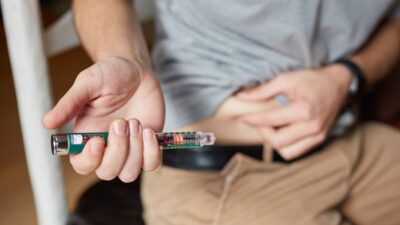
InPen and Insulin Dose Tracking
For people using insulin pens, InPen (Medtronic) connects to Apple Watch:
- Log doses with a tap on the wrist
- See active insulin on board (IOB) without pulling out phone
- Dose reminders
- Pairs with Dexcom data for context
- Useful for missed-dose detection
Limitations to Know
- Watch is not a medical device for glucose measurement — it displays data from a sensor on your body
- CGM app battery drain can be noticeable
- iPhone is required for initial setup and ongoing CGM operation
- Cellular Watch models work briefly without iPhone but reliability varies
- Water resistance is fine for swimming, but extreme conditions (hot tubs, saltwater for hours) can degrade seals
- Apps from third parties may stop working if developer updates lag iOS updates
The Non-Invasive Monitoring Rumor
Reports have circulated since at least 2017 that Apple is developing non-invasive glucose monitoring using optical sensors. As of 2026, no such feature has been released, no FDA submission has been made public, and the technical challenge of accurate optical glucose measurement at consumer-device price points remains unsolved. Any current product or marketing claim of “Apple Watch glucose measurement” without a separate sensor is incorrect.
Related Reading
See our broader guides on diabetes treatment, AI in diabetes management, and best diabetes apps 2026.
The Bottom Line
Apple Watch and diabetes works best as an integration hub — Dexcom G7, FreeStyle Libre (via third-party apps), and Stelo data shown on your wrist, with glucose alerts, activity correlation, sleep tracking, and insulin logging in one ecosystem. The Watch itself does not measure glucose; FDA-approved non-invasive monitoring is not available in 2026 despite persistent rumors. For CGM users who frequently check glucose during work, exercise, or sleep, the convenience and pattern-spotting benefits are significant. For people on finger-stick monitoring only, the benefit is much smaller. Plan on $400 to $1,000 for the Watch plus ongoing CGM and app costs, and confirm CGM compatibility with your specific Watch model before buying.