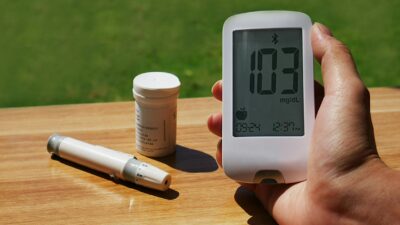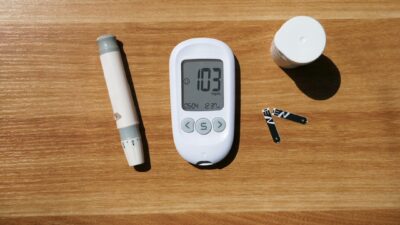
A Freestyle Libre 3 sensor kit is a single, sealed package from Abbott that contains one preloaded applicator, a skin prep wipe, and the documentation needed to start a 14-day continuous glucose sensor session. Understanding what ships in a Freestyle Libre 3 sensor kit versus what you still need to buy helps you avoid delays on the day you plan to start wearing it.
What Ships in the Box
Each retail or pharmacy-dispensed Freestyle Libre 3 sensor kit includes three items inside a foil-sealed tray:
- One single-use sensor applicator, with the sensor and integrated transmitter preloaded inside a sterile barrier.
- One alcohol prep swab for cleaning the application site.
- A printed quick start guide and a safety information insert.
Unlike earlier CGM systems, Libre 3 does not ship with a separate transmitter, because the radio and battery are integrated into the disposable sensor. That design simplifies inventory but also means you throw away the transmitter every two weeks rather than every three months.
What You Still Need
The kit assumes you have a compatible receiver. Most users rely on a smartphone running the free LibreLink app. Abbott publishes compatibility lists that are updated as new phone models launch. If you do not own a supported smartphone, you can buy a Freestyle Libre 3 reader separately. The reader lacks some connected features, such as LibreLinkUp caregiver sharing, but provides full glucose display, alarms, and data export.
Many users also add accessories that do not ship in the kit:
- Third-party adhesive overpatches for water resistance and long wear.
- Skin barrier products such as Skin-Tac wipes for people with oily skin or heavy perspiration.
- Medical adhesive remover for painless sensor removal.
- A padded travel case if the sensor is worn during air travel.
Kit Count Per Prescription
Prescriptions are typically written for one sensor every 14 days, which translates to two kits per month or 26 kits per year. Pharmacy dispensing is usually packaged as follows:
| Supply Interval | Kits Dispensed | Days Supply | Typical Channel |
|---|---|---|---|
| Initial fill | 1 or 2 | 14 to 28 days | Pharmacy |
| Monthly refill | 2 | 28 days | Pharmacy |
| 90-day refill | 6 | 84 days | Mail order |
| Medicare quarterly | 6 or 7 | 90 days | DME supplier |
Cost Ranges Per Kit
Without insurance, a single Freestyle Libre 3 sensor kit costs roughly 75 to 120 dollars at retail pharmacies, or about 5 to 9 dollars per day of wear. Manufacturer savings programs and pharmacy discount apps can reduce that cost for eligible patients. Insured pricing varies widely, with many plans charging a 30 to 90 dollar copay per month of supply.
Setting Up Before Application
Before opening the kit:
- Download the LibreLink app and create an account with your clinician-provided connection code if applicable.
- Confirm your phone runs a supported operating system version and has Bluetooth enabled.
- Check the kit expiration date and inspect the foil seal for damage.
- Plan to avoid the first hour of a new sensor during high-stakes situations like a workout or a long drive, because the warm-up period delays data.
Some users learning about the role of CGM in the context of prediabetes treatment wear a sensor for two to four weeks to understand how meals and activity affect glucose.
Step-by-Step Application
Once prepared, apply the sensor in six steps:
- Choose a site on the back of the upper arm, avoiding scars, moles, stretch marks, and recent injection sites.
- Clean the site with the included alcohol wipe and let it air dry completely.
- Open the applicator package. Do not touch the exposed sensor end.
- Place the applicator firmly against the skin and press the white button to deploy.
- Lift the applicator straight off. The sensor remains adhered.
- Open LibreLink, scan the sensor by holding the phone near it, and start the 60-minute warm-up.
During warm-up, no glucose data appears. After warm-up, readings stream every minute automatically as long as the phone is within 33 feet and Bluetooth is on.
Wear Time and Replacement
Each kit supports up to 14 days of continuous wear. The sensor ends automatically at the 14-day mark and cannot be extended. When wear ends, peel the sensor off slowly from one edge, using adhesive remover if needed to minimize skin irritation. Allow the skin to rest for a day or two before applying the next sensor to the same general area.
Troubleshooting Kit and Sensor Issues
Common problems and solutions include:
- Sensor will not pair: confirm Bluetooth is on, close and reopen LibreLink, and restart the phone.
- Error during warm-up: occasionally a sensor fails at start. Report through the app to request a replacement.
- Adhesive peels early: apply an overpatch, and consider Skin-Tac for future applications.
- Signal loss: move the phone closer to the sensor and check that the app is not in battery optimization mode.
Where Libre 3 Data Ends Up
Data flows from the sensor to LibreLink, then to LibreView in the cloud. Clinicians can invite you to share via LibreView for remote monitoring and appointment reviews. You can export PDF reports for your own records. Understanding the relationship between CGM data and A1C levels is useful when comparing your ambulatory glucose profile with lab values.
The Bottom Line
A Freestyle Libre 3 sensor kit contains one sensor, one alcohol wipe, and a start guide, and lasts 14 days. You supply the smartphone or reader and any accessories. Confirm your prescription days supply matches your wear schedule so you never run out. The Abbott Freestyle product hub lists current kit SKUs and support resources. Discuss with your clinician whether Libre 3 is the right CGM for your management plan and whether insurance coverage is available.
This article is for educational purposes only and does not constitute medical advice. Always consult your healthcare provider for diagnosis and treatment decisions.