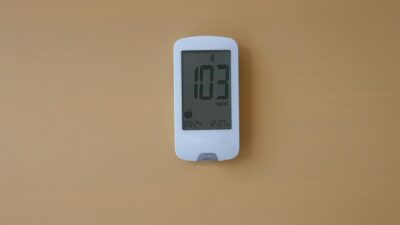
A Dexcom monitor is a continuous glucose monitoring (CGM) system — a small, under-skin sensor that reads your glucose every five minutes and streams the data to your phone, giving you a live trend line instead of isolated fingerstick snapshots.
As of 2026, Dexcom sells two main monitors: the prescription-only G7 (for diabetes) and the over-the-counter Stelo (for adults not using insulin). Both are useful tools for anyone tracking A1C levels or working on prediabetes lifestyle change. Here’s how the Dexcom monitor works and whether it belongs in your routine.
The Hardware: What You Actually Wear
The Dexcom G7 is an all-in-one disposable sensor: the transmitter and sensor are fused into a single coin-sized patch. You apply it using a one-handed applicator — typically to the back of the upper arm. The device pairs with the Dexcom app on iPhone or Android and delivers glucose readings every five minutes for 10 days (G7) or 15 days (G7 Extended Wear and Stelo).
There is no fingerstick calibration. After a 30-minute warm-up, readings begin automatically. You can view your glucose on your phone lock screen, an Apple Watch complication, or a dedicated Dexcom receiver.
How It Measures Glucose
Underneath the patch, a 0.4 mm flexible filament sits in the interstitial fluid just below your skin. That filament is coated with glucose oxidase — an enzyme that reacts with glucose to produce a tiny electrical signal. The sensor’s electronics convert that signal into a mg/dL reading and transmit it via Bluetooth Low Energy.
Because interstitial fluid updates slightly behind blood glucose, there is a brief physiological lag (roughly 5-10 minutes). Dexcom’s algorithm compensates by projecting and smoothing readings so the on-screen number tracks blood glucose closely during most daily activities.
Accuracy: How Good Is the Data?
Dexcom G7’s overall MARD (Mean Absolute Relative Difference) is 8.2% in adults per the FDA 510(k) clearance data — among the best in the CGM category. Stelo’s MARD is near 10%, which is still accurate enough for trend-tracking and lifestyle decisions, though not cleared for insulin dosing.
| Feature | Dexcom G7 | Dexcom Stelo |
|---|---|---|
| Prescription | Required | OTC (18+) |
| Wear time | 10 or 15 days | 15 days |
| MARD | ~8.2% | ~10% |
| Low-glucose alerts | Yes | No alerts below 70 mg/dL |
| Insulin dosing cleared | Yes (iCGM) | No |
| Monthly price (cash) | $200-400 | ~$89 |
Setting Up Your First Dexcom Sensor
Step by step, the first sensor typically takes under 10 minutes:
- Download the Dexcom G7 or Stelo app and create an account.
- Clean the back of your upper arm with alcohol; let it dry.
- Remove the applicator cap and press firmly against the skin.
- Push the button — the sensor inserts instantly.
- Scan the QR code on the applicator with your phone to pair.
- Wait 30 minutes for warm-up — readings then begin.
Reading the Data Beyond the Number
The number matters less than the pattern. Trend arrows show where glucose is heading; the daily overlay reveals post-meal spikes; the Time-in-Range percentage captures how much of your day is spent in a healthy window. According to the American Diabetes Association, keeping glucose between 70-180 mg/dL more than 70% of the time is the minimum target for people with diabetes. For prediabetes, many clinicians aim higher — often 70-140 mg/dL.
The Clarity companion app aggregates weekly and monthly reports that clinicians can review with you. These reports often drive meaningful changes: swapping cereal for eggs at breakfast, adding a post-dinner walk, or adjusting sleep timing.
Who Benefits Most
A Dexcom monitor is especially useful if you:
- Have an elevated A1C and want real-time feedback on food choices.
- Are pursuing lifestyle reversal of prediabetes — see our reversal guide.
- Experience unexplained afternoon crashes or nighttime spikes.
- Take insulin or sulfonylureas that carry hypoglycemia risk.
- Want objective data before a clinician visit.
Common Issues and How to Fix Them
Compression lows happen when you lie on the sensor overnight — the readings can falsely dip. Switching arms each session helps. Early sensor inaccuracy in the first 24 hours is normal; trust the trend more than the number on day one. Signal loss typically resolves by moving your phone closer or disabling other Bluetooth devices.
The Bottom Line
A Dexcom monitor delivers clinical-grade glucose data without fingersticks, with G7 for diabetes care and Stelo for OTC prediabetes and metabolic-health use. Pair the data with lifestyle changes — diet, movement, sleep — and review trends with your clinician to make CGM a useful part of your prediabetes treatment plan.
This article is educational and not a substitute for personalized medical advice. Always discuss glucose monitoring and treatment decisions with a qualified healthcare provider.